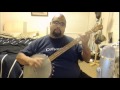
I have never recorded myself playing, either audio or video. I own no special equipment-I think my laptop has a webcam and mic, and I may have a portable Sony digital recorder that can plug into the computer.
I am considering recording myself, both as a tool for practice and maybe to eventually post a vid on Youtube or BHO.
I know Jill and some others have done You tube videos, and I would appreciate any advice.
I'm not looking to be a professional video/audio recorder. I just don't want folks telling me my vids look and sound horrible.
Also, I think it goes without saying, but all my instruments are straight accoustic-no pickups.
16 Comments |
 | Brooklynbanjoboy says:
5/8/2014 12:08:32 PM
I use the iMovie program that comes with Apple. I figured it out (largely through trial and error and error and error). Most of this IT stuff is above my paygrade, but the iPhone and iPad technology is pretty accessible to me, and I'm only now moving toward the 20th century. Point is, it can probably be done on the cheap with built ins. I never got that far with my PC, but if you tell me what kind of system you have I'll ask my gifted and talented IT son.
|
 | laertes22 says:
5/8/2014 12:32:35 PM
Do you have to have a Mac to use iMovie, or can you use it with just an iphone/ipad (I have both). I'd have to check my PC for the specs. I know it's an Alienware gaming laptop with maybe 8gigs of RAM and is a couple years old-that's all I remember. However, if I could use my ipad, that would work, too.
|
| Brooklynbanjoboy says:
5/8/2014 12:40:58 PM
Here's my primordial understanding of this stuff:
The iPhone camera has a setting for "Video" as well as "Photo."
Make sure you have downloaded the free YOUTUBE APP.
And Make sure you have a Youtube account and channel.
Shoot a video.
Once you press the red button ending the video, your "camera roll" appears.
Then, at the bottom you have a band housing three icons.
Rightmost is the trash can.
Leftmost is a square with an arrow pointing up.
Hit that square.
Another page opens for the selected video.
Options:
message, mail, icloud, youtube, facebook, vimeo
Hit the Youtube app
A youtube page comes up.
Put in a title
Hit "publish" in the upper right hand corner.
You might at this point be asked for your Youtube password.
Video will upload to your Youtube account.
That's my story and I'm sticking to it.
Video will process
|
 | Zischkale says:
5/9/2014 6:27:03 AM
If you've got Windows, G, your webcam should have recording software--might be more tricky finding the specific options to export the file in a compact enough form to upload to Youtube than on a Mac. I've been using my wife's Mac to record videos for a while now. I use a Snowball Mic for audio--it was a gift so I don't know exactly what was paid for it--$50 - $75.
|
| laertes22 says:
5/9/2014 6:38:44 AM
Thanks to you both! I downloaded iMovie for my ipod and ipad, so I can actually use them without a mac. I may look into the snowball mics, as well. They are about $55 on Amazon, so that might be doable.
|
| laertes22 says:
5/9/2014 7:33:14 AM
Also thinking that I might try Audacity and Windows Movie Maker. If I get the snowball mic, then between that, my webcam, and the imovie stuff for ipod/ipad I might be set!
|
| Zischkale says:
5/12/2014 6:40:20 AM
Again, I've been happy with that snowball mic--way better than the default mic on the laptop. You can check out my more recent videos for examples. I bet that iPad takes solid video too.
|
| laertes22 says:
5/12/2014 6:56:56 AM
Aaron, thanks for the recommend on the Snowball. While I was looking at the Snowball and doing research, I discovered the Blue Yeti, which is the Snowball's big brother, which a few more options. Amazon had one on sale, so I ordered it, and it should be here today!
Does anybody know much about Youtube privacy settings? I don't want to deal with a bunch of adolescent trolls telling me that my playing sucks, but without offering any helping advice or constructive criticism. I would like to post some vids but have them only available to this group and some select friends/family (or alternatively, if they were not available to the public, but were available to BHO, that would work, as well). Any ideas?
|
| Brooklynbanjoboy says:
5/12/2014 7:37:09 AM
Genford, I have my Youtube "channel" on the "public" setting. The only time I ever had trouble in the form of multiple, irrelevant emails to a post was when I recorded a clawhammer version of Groucho Marx's tune, "Everyone Says I Love You." "Love" was the keyword on which trolls pinged, and I got a lot of pretty ridiculous stuff. I changed the "title" of that post, eliminating the word "Love" and the trolls went away. Seems that at least OT music titles escape attention. No one is tuning their little trolling dials to catch "Come Back Boys, Let's Feed The Horses." Take care, Lew
|
| Zischkale says:
5/12/2014 7:43:12 AM
G -- I agree with Lew. I appreciate your desire to avoid the trolls, but I've never worried about the privacy settings on Youtube, since I don't expect enough views to warrant serious trollin'.
It can be demoralizing, but you can always disable comments if you get some nonsense comments on your video. I'd rather keep my video open to random stumbles from cool strangers. Trolling the lowest form of communication, it should be dismissed without question (as hard as it can be to dismiss sometimes).
|
| laertes22 says:
5/12/2014 7:50:19 AM
Both your points are well taken. I didn't realize that you could disable comments, so that would work for me!
|
| Brooklynbanjoboy says:
5/12/2014 7:59:21 AM
Genford, you and, well, most everyone on BHO know far more than I do about this IT stuff. Here's a question: is there a way to meld two Youtube videos into one, or sync them? Suppose someone plays the banjo, and a fiddler records the same tune. Anyway to somehow get the audio worked right so it sounds as though it is two players on one tune? Just to restore context, I'd see this as a decently interesting way of practicing. V/R, Lew
|
| Zischkale says:
5/12/2014 8:13:25 AM
Don't ask me how to disable comments, G, but it's possible--check the Youtube options before you post.
There are website applications that sync videos, but I'm not sure how it would sound. I could definitely sync audio for two videos using audacity. Are you concerned about the audio only, or some kind of side-by-side video display (I'm pretty sure you can do this in iMovie). The best thing would probably be to record yourself playing along to the Youtube video (wearing headphones) so you're on beat, and then importing that audio and audio from the Youtube video to audacity.
|
| Brooklynbanjoboy says:
5/12/2014 8:26:43 AM
Still, above my paygrade. Thanks for the input. I'll turn this over to my IT son to untangle.
|
| laertes22 says:
5/12/2014 8:33:57 AM
You can definitely do it. I can even show you an example (There is one where it one guy playing banjo, guitar, and I think bass. He recorded video of himself playing the same song on each instrument, then synced them up somehow). However, I have know idea how he did it. I am at work, and can't pull up youtube right now. However, when I get home, I'll try to find the vid and link for you. Then you could ask the guy directly how he did it. I've contacted him before, and he was pretty good about answering questions or addressing comments.
|
| Brooklynbanjoboy says:
5/12/2014 8:49:36 AM
Thanks for your willingness to be helpful. We can talk later.
Lew
|
Post a Comment
|
You must be logged in and a member of this group to post a comment.
|